Hybrid Party: How to Bring Together Online and Offline Guests in One Event
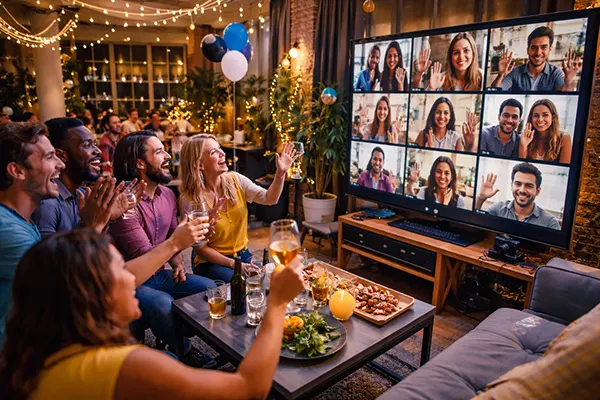
Hybrid events have moved from being a temporary solution to a practical format for modern gatherings. Whether it is a birthday, corporate evening, or private celebration, combining in-person guests with remote participants allows you to include more people without losing the atmosphere. The challenge lies not in the idea itself, but in execution: technology, communication, and timing must work together so that nobody feels left out. A well-planned hybrid party creates a shared experience rather than two separate audiences.
Planning the Structure of a Hybrid Event
The first step is to design the event as a single experience, not two parallel ones. This means thinking about how both groups will interact at every stage — from the welcome moment to the final activity. A common mistake is focusing only on the physical venue and treating online guests as observers. Instead, every segment should include an opportunity for participation from both sides.
Timing plays a critical role. Delays, transitions between activities, and even short pauses feel different for online attendees. What feels natural in a room may feel like dead air on screen. Building a clear timeline with defined segments helps maintain energy and keeps both audiences engaged throughout the event.
Another key element is assigning roles. Someone should manage the in-room experience, while another person focuses on the online audience — monitoring chat, resolving technical issues, and encouraging interaction. This division ensures that neither group is neglected.
Choosing the Right Format for Interaction
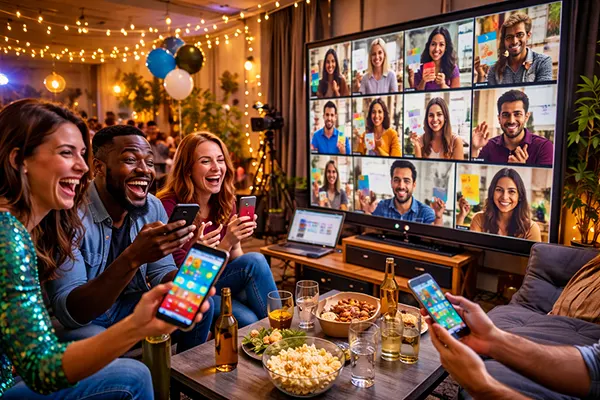
Interactive formats determine whether the event feels unified or fragmented. Simple elements such as live polls, shared quizzes, or real-time voting can bridge the gap between physical and remote participants. These tools work well because they give everyone an equal voice, regardless of location.
Breakout moments can also be effective. For example, small group discussions can mix online and offline guests through screens placed at tables. This approach encourages direct communication rather than passive viewing and helps build a sense of connection.
Finally, consider moments of shared focus — such as speeches, games, or performances — where all attention is directed to one activity. These moments act as anchors, bringing both audiences together and reinforcing the idea that they are part of the same event.
Technology and Setup: What Really Matters
The technical setup determines whether a hybrid party feels smooth or frustrating. High-quality audio is more important than video in most cases. If remote guests cannot clearly hear conversations or announcements, they quickly disengage. Investing in external microphones and testing sound levels in advance is essential.
Camera placement should reflect how people naturally interact. A single static camera rarely works well. Using two angles — one focused on the host and another showing the room — provides a more dynamic view and helps online guests feel included in the atmosphere.
Internet stability is often underestimated. A wired connection is preferable to Wi-Fi whenever possible, especially for the main streaming device. Backup options, such as a mobile hotspot, can prevent disruptions if the primary connection fails.
Platforms and Tools That Support Hybrid Events
Choosing the right communication tool depends on the type of event. For smaller gatherings, video conferencing tools like Zoom or Google Meet are sufficient, offering breakout rooms and chat features. For larger events, streaming services combined with interactive platforms may be more suitable.
Integration between tools is important. For example, using a separate app for voting or quizzes can enhance engagement, but it should be simple enough for all guests to access without confusion. Complicated setups often reduce participation rather than improve it.
It is also worth preparing a short technical guide for guests in advance. Clear instructions on how to join, participate, and troubleshoot common issues reduce stress and allow the event to start smoothly for everyone involved.
Creating a Shared Atmosphere Across Distances
The biggest challenge of hybrid events is maintaining a sense of unity. Physical presence naturally creates energy, while online participation can feel distant. To balance this, hosts need to actively acknowledge both groups throughout the event, addressing remote guests by name and involving them in conversations.
Visual elements can help bridge the gap. Large screens displaying online participants in the venue make them visible to in-person guests, while cameras capturing reactions from the room allow remote attendees to feel part of the environment. This two-way visibility is key to building connection.
Consistency in activities also matters. If in-person guests are playing a game, online participants should have a way to join or influence the outcome. Separate experiences quickly create a divide, while shared activities reinforce the collective nature of the event.
Common Mistakes and How to Avoid Them
One of the most frequent mistakes is treating online guests as passive viewers. This approach leads to disengagement within minutes. Every segment should include at least one form of interaction, even if it is as simple as a question or reaction.
Another issue is overcomplicating the event with too many tools or features. While technology can enhance the experience, excessive complexity often causes confusion. A smaller number of well-executed elements is usually more effective.
Finally, lack of rehearsal can undermine the entire event. Testing equipment, timing, and transitions beforehand helps identify weak points and ensures that the actual gathering runs smoothly. Even a short run-through can make a significant difference.