
Home Karaoke: How to Create Club Atmosphere Without Going Out (2026)
Karaoke at home in 2026 can feel surprisingly close to a proper night out if you treat it like a small live event: clean sound, the right lighting mood, and a bit of structure so the room stays engaged. You don’t need expensive studio kit, but you do need to avoid the common traps—audio delay, harsh feedback, and a chaotic song queue that kills the momentum.
Get the setup right: screen, tracks, and microphones
Start with the screen and the lyric source, because everything else depends on timing. A modern smart TV with a dedicated karaoke app, YouTube karaoke videos, or a music service with live lyrics can all work, but the key is keeping audio and video in sync. If you route sound through a soundbar or AV receiver, use HDMI ARC/eARC where possible, and disable heavy “cinema” processing modes that can add delay.
For tracks, pick versions that are actually meant for karaoke: clear backing, consistent key, and readable on-screen lyrics. Many people use YouTube, but quality varies a lot—some videos have off-beat lyrics or compressed audio that makes vocals feel exposed. If your household often sings, it’s worth building a small library of reliable tracks (and noting the key) so your favourites don’t disappear or get replaced by a worse upload.
Microphones are where home karaoke either becomes fun or turns into a shouting contest. In 2026 you’ll see two common routes: USB microphones into a laptop/tablet, or wireless mics into a small mixer/speaker. USB is simple and clean, but you’ll need a way to get the mixed sound back to the TV or speakers. Wireless is flexible for living-room movement, but it demands careful gain settings to avoid feedback.
Connections, latency, and a simple signal flow that works
Latency is the hidden problem that makes singers feel “behind” the beat. Bluetooth is the usual culprit—fine for casual listening, but risky for live vocal monitoring. If you can, use wired speakers or a soundbar via HDMI/optical, and keep the mic signal path as direct as possible. Even a small delay can make confident singers start to push their voice, which sounds worse and tires people out faster.
A practical home signal flow looks like this: karaoke track from TV/laptop → main speakers; microphone(s) → small mixer → same speakers (or a dedicated vocal speaker). If you can’t combine signals neatly, an easy workaround is to run everything from one device (a laptop, for example) and send a single mixed output to speakers. The less you split sources, the easier it is to control volume and avoid “two things fighting each other” in the room.
If you’re using a mixer, set gain with one person speaking at normal volume first, then singing at peak volume. Turn the channel gain up until it’s strong but not distorting, then use the fader for comfortable room level. That one step prevents the classic “too quiet, then suddenly piercing loud” problem when somebody belts a chorus.
Make it sound like a venue: audio balance, effects, and feedback control
Club-style karaoke doesn’t mean “as loud as possible”; it means the backing track feels full and the voice sits on top without strain. Put speakers in front of the singers (facing the room), not behind them, and avoid aiming them directly at the mic capsules. In a small space, even a few degrees of repositioning can stop feedback before you touch any settings.
Basic EQ goes a long way. If vocals sound boomy, reduce a little low-mid; if they’re thin, don’t just crank volume—add a touch of warmth and reduce harsh highs. The goal is intelligibility: you want lyrics to be understood without the singer shouting. Also, keep the backing track slightly under the vocal, especially in choruses, because that’s where rooms get loud and people start to over-sing.
Effects should be subtle. A small amount of reverb can make singers feel more comfortable and hide small pitch wobbles, but too much reverb turns the room into a wash of sound where timing gets messy. If your gear offers echo/reverb presets, choose the lightest one first and increase slowly. The “I can hear myself clearly” feeling is what makes people volunteer for another song.
Lighting, staging, and small touches that change the mood
Lighting is the cheapest way to shift the atmosphere from “living room” to “night out”. Use warm, dim ambient light for verses and brighter accents for choruses if your bulbs support scenes. If you don’t have smart bulbs, a couple of lamps with lower-watt bulbs plus a small LED strip behind the TV can create depth and reduce the harsh “overhead light” look.
Create a simple “stage” zone. It can be as basic as a cleared rectangle of floor, a small rug, and a spot where the next singer stands ready. People sing better when they know where to stand and when they can see the lyrics comfortably without craning their neck. If you want the club feel, keep the singer area slightly darker than the audience, with one gentle light on their face so videos don’t look like silhouettes.
Finally, protect the vibe by controlling noise spill. Close doors, use soft furnishings (curtains, cushions) to tame harsh reflections, and agree a sensible maximum volume before you start. That keeps neighbours happier and stops you from turning the whole night into a battle between “turn it up” and “it’s too loud”.
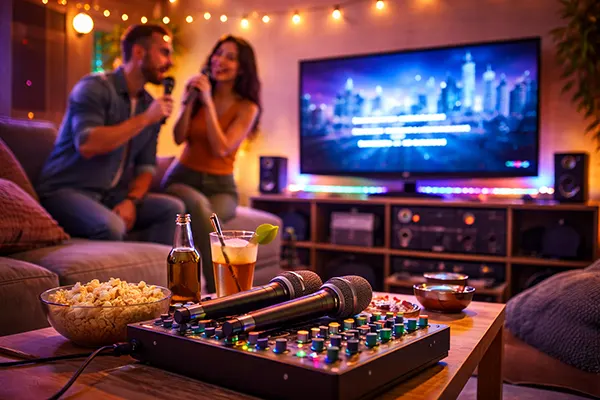
Host like a pro: rotation rules, song choices, and keeping energy high
The biggest difference between great home karaoke and an awkward one is hosting. You don’t need a microphone voice or cheesy lines—just a clear rotation and a steady pace. Use a visible queue (a notes app on a TV-connected device works) so everyone knows when they’re up. When people aren’t guessing, they relax, chat, and actually enjoy the night instead of hovering nervously.
Song selection should match the room. Mix easy crowd-pleasers with “big” songs so strong singers don’t dominate and quieter guests still get wins. A useful rule is: every high-effort belter track should be followed by something that’s comfortable for most voices. It keeps the room from turning into an endurance contest and makes it more likely that first-timers will try a second song.
Keep things moving with small transitions. While one person finishes, the next singer should already have the mic and the track queued. If there’s a gap, energy drops fast. A good host quietly fixes that by checking the next track during the current performance, keeping volume consistent, and encouraging duets when someone looks hesitant.
Confidence boosters: warm-ups, duet tricks, and fair scoring without drama
Warm-ups don’t have to be cringe. Start with a group song everybody knows, or a call-and-response track where no one is “on their own” for long. This lowers the social barrier and helps you set levels and lighting before the more serious performances. After two or three songs, the room usually settles into a rhythm.
Duets are the best tool for shy singers. Pair someone nervous with a confident friend, or choose songs with alternating lines so nobody carries the whole thing. You can also use “chorus support”: the lead singer does verses, and everyone joins the chorus. That feels social, sounds bigger, and it’s much closer to the atmosphere people associate with club karaoke nights.
If your group likes scoring, keep it light and consistent. Decide in advance whether you’re scoring vocals, entertainment, or crowd reaction, and don’t let it become judgement. A simple “three awards” approach works well—best vocal moment, best crowd hype, funniest choice—so different styles of singing get recognised and nobody leaves feeling ranked last.